 Life
LifePlan
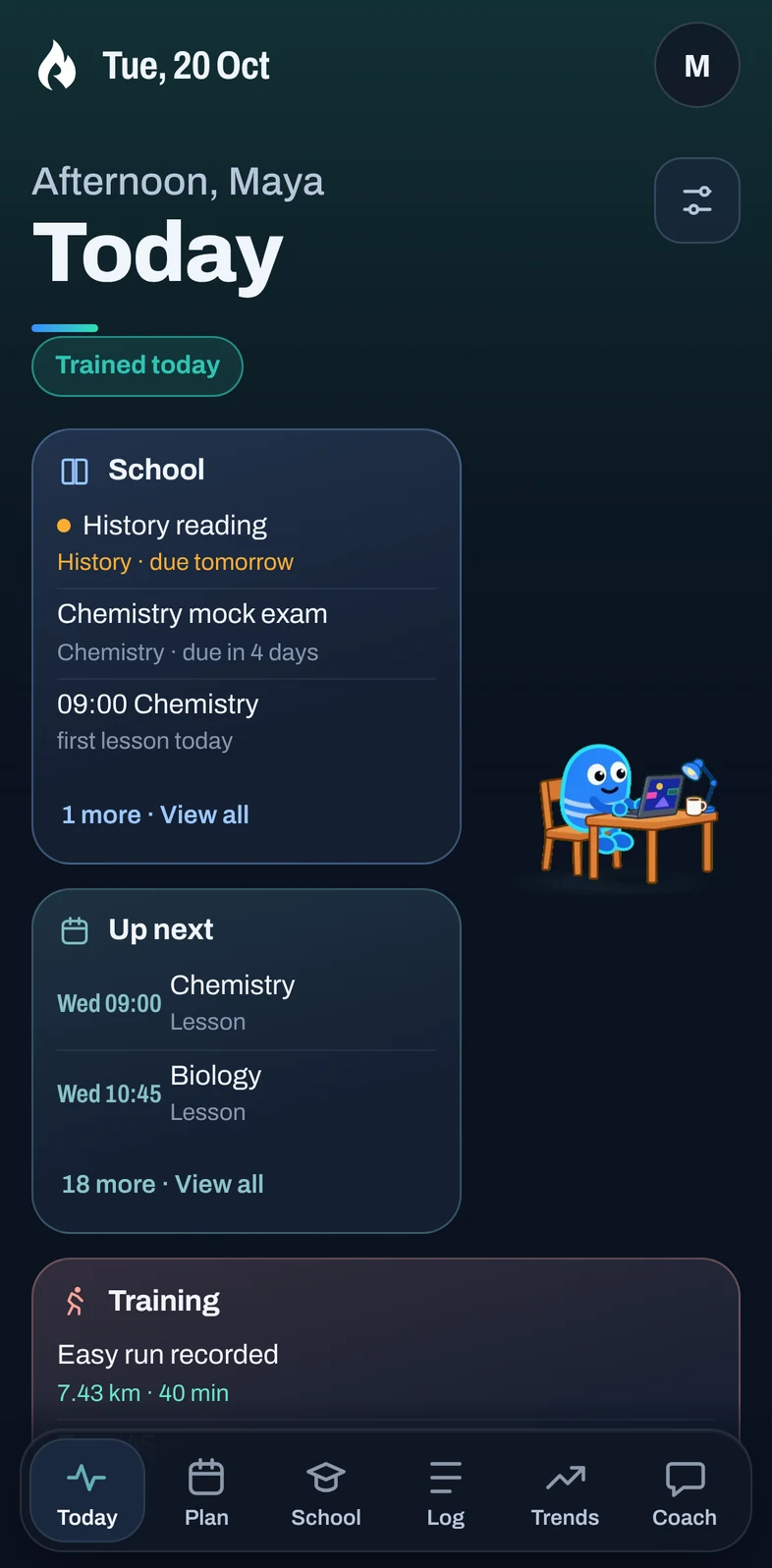
Your day in time order, and a week you can plan around what is already fixed.
Life brings your plan, school, training, health data and calendars together, and shows you what today really holds, so you can get on with it.
Other devices: Android iPhone Computer
Invite-only. Life is being tested by a small group of invited adults. There is no public sign-up yet.
Your day in time order, and a week you can plan around what is already fixed.
Timetable, homework, exams and study time, kept with the rest of your week.
A training plan, your workouts and trends, from the watch or by hand.
Sleep, steps, heart rate and weight, from the phone or the services you choose.
Google Calendar, Strava, Health Connect and workout files, each only if you want it.
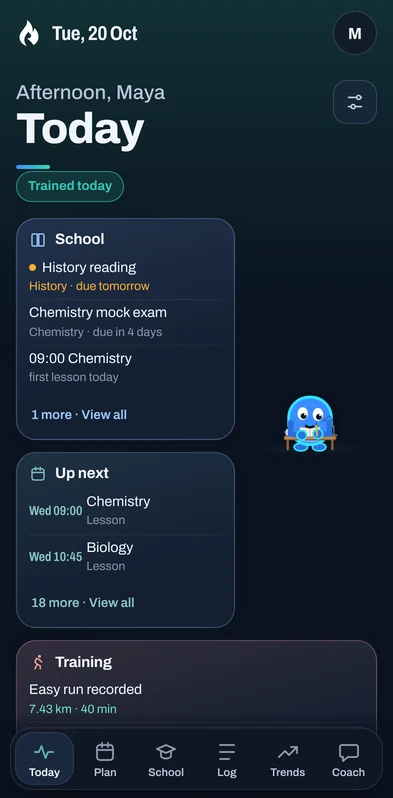
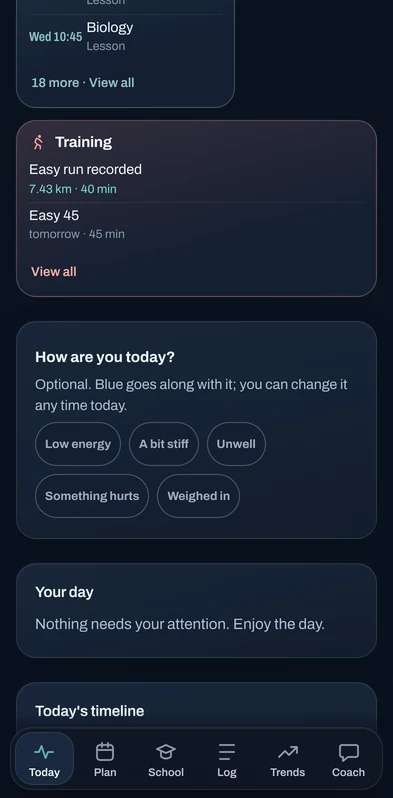
Today puts what matters first: today's lessons and deadlines, what is up next on your calendars, and the training you planned or already did. Scroll for a quiet timeline of the whole day, free time included.
You choose the parts you need: Fitness, School and Work can each be switched on or off.
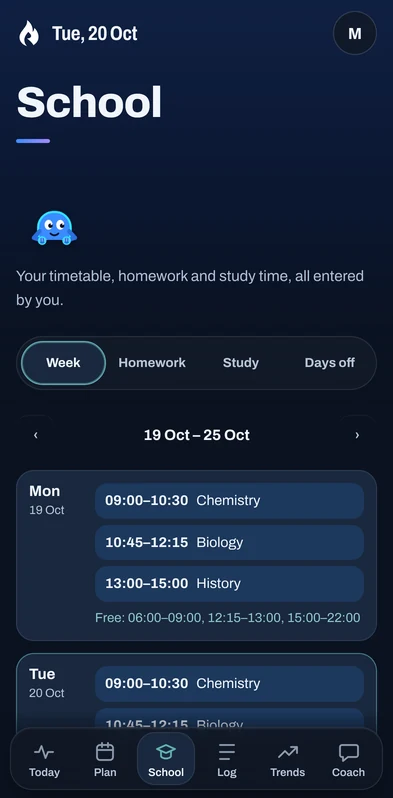
Enter your lessons once. Homework, projects and exams sit beside them, key exams stand out, and study time is planned around the rest of your week instead of on top of it.
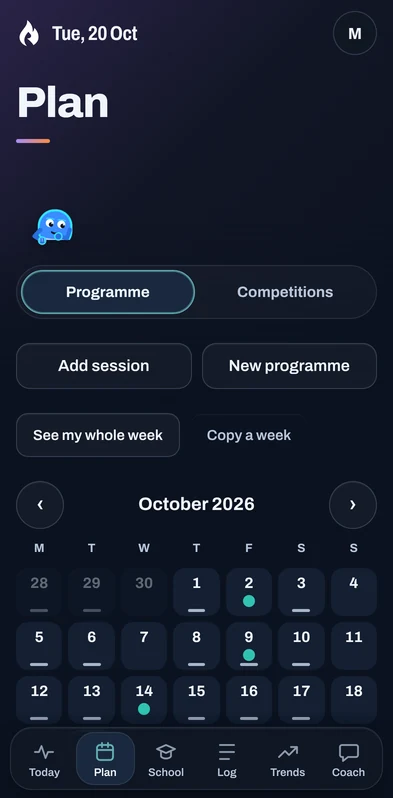
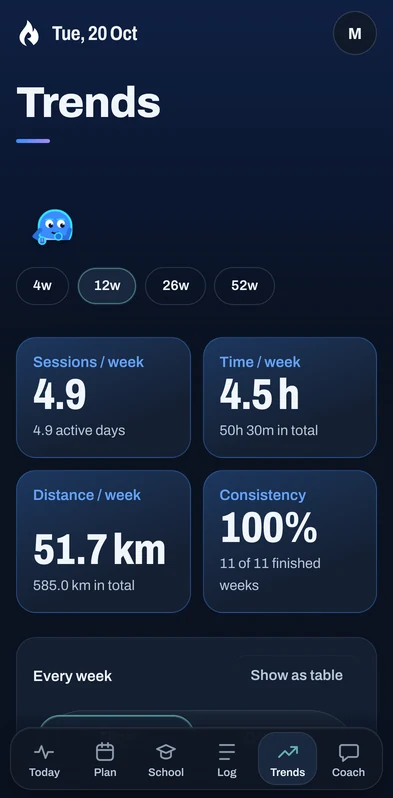
A training programme on a real calendar, every session you did, and the trends that show whether it is working, without leaving the app that also knows about your exams.
Every connection is optional, uses the service's own sign-in and permission screens, and can be disconnected at any time. Life never asks for your Google, Strava or Garmin password.
The calendars you choose appear in Today and your week, each in the right place: School, Work, Training or Personal.
Activities and wellness such as sleep, resting heart rate and weight, read only. Built and waiting for intervals.icu to approve Life's app; Garmin watch users will be able to link Garmin Connect to it.
Your activities from the last 7 days, shown only to you. A run already in Life appears once.
Life's Android app reads only the kinds of health data you allow, from your phone.
Workout files (FIT, GPX, TCX) and calendar files (ICS), imported by hand with a preview first.
Needs Life's iPhone app, which has not been released. On iPhone, Life runs as a Home Screen app.
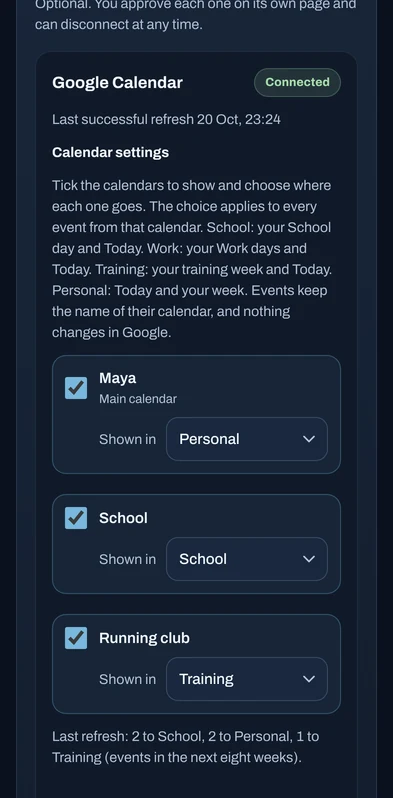
How this information is stored and deleted: Life Privacy Policy. Screen shows sample calendars.
Life looks at what you have told it, using fixed rules, and points out what matters: what is coming up, what slipped, how the week is balanced. Changes to your plan are only ever suggestions you confirm.
Patterns from your own sessions, deadlines and plans, each with the records behind it.
Tell Life what it got wrong and it remembers.
“Yesterday's run was a race”
A suggested change waits for Confirm or Not now. Nothing moves by itself.
The optional AI Coach is not switched on in the private beta. Today's Coach answers from Life's own rules, and no AI model is called.
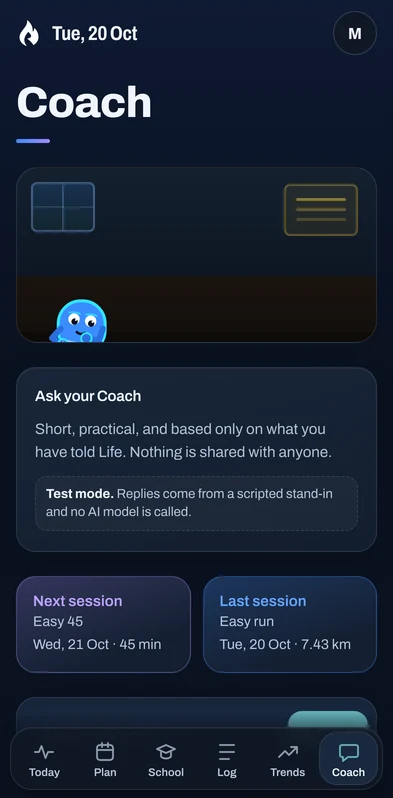
One app: every part of Life, full screen, with the same account as on the web. Built in is Health sync, which brings in what Health Connect on your phone allows.
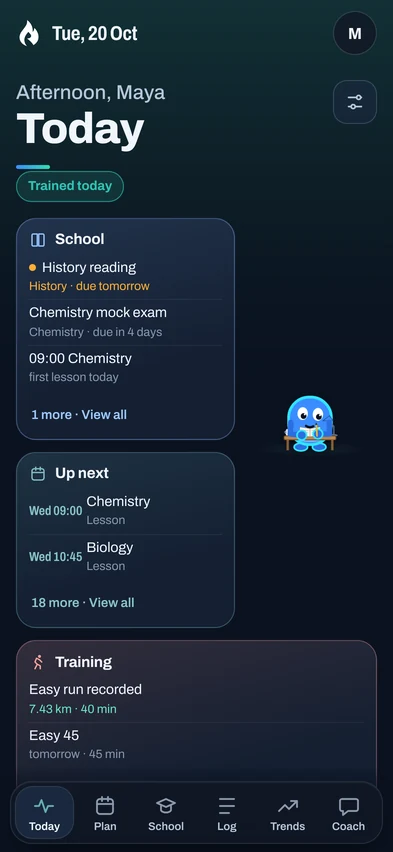
Life is invite-only for now. Use the account you were invited with.
For invited testers: the button opens Life, where you sign in with your Life account and download the app. This is Life's official beta app, signed by Visioneering MT. Downloading it does not create an account: Life is by invitation during the beta.
Invite-only beta: invited testers download the Android app from Life's download page after signing in. It needs Android 9 or newer with Chrome, and Health Connect for health data.
Good to know: links to Life that you tap in other apps open in Safari, because iOS does not hand them to Home Screen apps. Open Life from its icon to use the installed app. Reminders on iPhone need iOS 16.4 or newer and work only in the installed app.
Open Life in Chrome, Edge, Safari or Firefox and sign in. In Chrome or Edge you can also install it from the address bar, so it opens in its own window.
Open LifeLife is built so you decide what it sees, and so nobody else sees it.
Nothing is connected by default. Each service asks you on its own screen, and you can disconnect from Connections.
Life never changes your calendar. Imported events are deleted from Life 30 days after they end.
One person's records, connections and guidance are never shown to another.
Your data is not sold or used for ads. Google Calendar and Strava data are never given to an AI.
Download a copy of everything Life holds about you, or delete your account, from Settings.
Protect your account with an authenticator app. Sessions are yours to see and end.
Life is not a medical service; its summaries are for general fitness and wellbeing. Read the Privacy Policy and the Terms of Use.
Life is in a small, invite-only private beta for adults. There is no public sign-up yet. To ask about joining a future beta, email visioneeringmt@gmail.com.
No. The private beta is free for invited testers.
On iPhone, Life runs as a Home Screen app: add it from Safari and it opens full screen. A separate iPhone app, which would also bring Apple Health, has not been released.
Invited testers sign in on Life's download page and download the beta there (version 0.3.0, about 14 MB). It needs Android 9 or newer with Chrome. Health data comes through Health Connect. Life is by invitation during the beta, so the download alone does not give access.
Yes: import your Garmin workout files (FIT) and they appear with their details. A connection through intervals.icu, which Garmin Connect can feed automatically, is built and waiting for intervals.icu's approval. A direct Garmin connection is not available yet.
Not in the beta. Life's insights and Coach answers come from fixed rules applied to your own records. An optional AI Coach exists, but it is switched off and would need your separate permission.
It reads the calendars you choose and shows their events to you, in Today and your week. It never changes your calendar. Details are in the Google Calendar section and the Privacy Policy.
Visioneering MT, an independent student-run project in Malta. Questions: visioneeringmt@gmail.com.
Invited to the beta? Get Life on your device.